
OverviewIt's very important to provide correct address information of your property. This article will outline how to update address and location of your property.
ContentThis article includes |
How to change the property address in YCS?
- Go to Settings and click Content
- Select Basic Information
- Change your street address in English or your local language if available
- Click Save

How to change the property location in YCS?
- Login to YCS
- Go to Settings and click Content
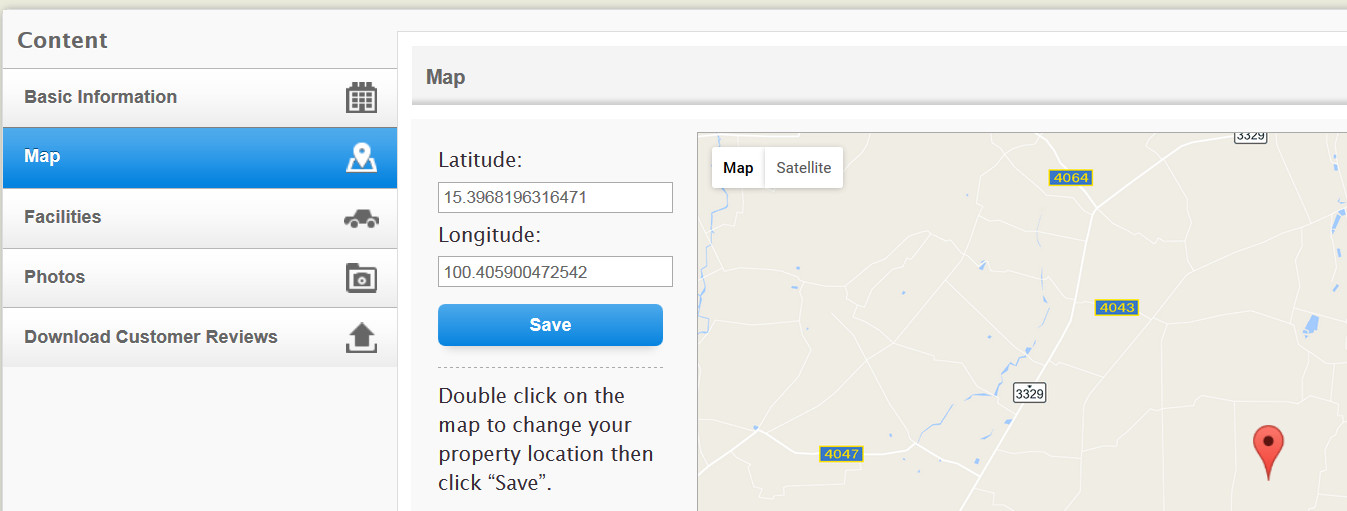
- Select Map
- Pin the location on a map or provide latitude and longitude of your property
- Click Save
Frequently Asked Questions
I input latitude and longitude obtained online, why in your map it shows somewhere else?
Different map may have different coordinates, we recommend you obtain them from Google Map, as we map service is based on Google Map.
Learn More
- How can I manage my star rating?
- How do I change the property name?
- How do I add useful information?
- How do I change my property description?